Remote Pro
Photo Booth Software for Windows PCs. Light weight, rock solid and infinitely flexible. Remote Pro turns Windows PC’s into fully customised Photo Booths. Loved by tens of thousands around the world.
from $349 per license
Photos, Videos & Custom UI
Photos & Prints
Capture photos and automatically print them. Format prints for classic 6x2” strips or multi-image layouts. Apply overlays and backgrounds using the Print Layout Editor.
Videos & GIFs
Capture videos and apply overlays, add intro / outro videos, jump cuts, slow motion and more. Turn images in to GIFs with animated overlays, backgrounds and more.
Custom UI
Complete Control over the User Interface. Build custom experiences tightly integrated with band requirements. Design in your favorite tools.
Design Flexibility
Your way, not our way.
Total creative control over the user interface means tailored experiences specific to your photo booth, mirror booth, permanent installs or brand activations.
Creative Output
The freedom to create.
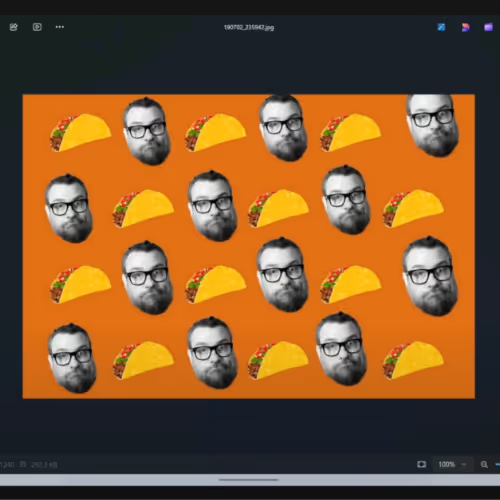
Create branded photos, GIFs and videos. Apply image filters/LUTs, custom special effects and process images using AI or your own custom processing.

Print & Share
Create it. Share it.
Share digital images and video via SMS, custom HTML emails, QR codes and Micro-sites. Print to any Windows compatible printer.
GDPR Compliant. Offline Redundancy.
Remote Pro can be configured to run 100% offline with no personal data or images being sent to any 3rd parties, including us. Store data locally on device and encrypt email addresses or phone numbers. Or connect to Breeze Cloud for enhanced experiences.
Feature Highlights
Complete Design Control
Remote Pro’s design tools let you create custom user interfaces, multi-language, multi profile experiences, and build photo, GIF, and video layouts with ease.
- Touch Screen Designer
- Photo Layout Editor
- Video Edit List
- Multi Profile / Menu
- Multi Language
- Branded Screens
Fast Image & Video Sharing
Instant sharing with SMS or email or via the cloud for centralized sharing and oversight. Create real-time galleries, share via microsites with QR codes, enable contactless experiences, and effortlessly manage data and devices.
AI Effects & Custom Processing
Completely transform your images with locally processed special effects or cloud-based AI enhancements. Create dynamic layouts with customized text, and integrate your own processing using our Post-Processing support.
- AI Background Removal
- AI Face Swap
- AI Text to Image
- Custom LUT & Filters
- Photoshop Droplets
- Blending Modes
Survey Powered Experiences
Integrate QR codes and surveys for contactless operation, dynamic overlays, data capture, QR payments, automated sharing, and detailed reporting.
Flexible Payment Solutions
Offer seamless payments with support for Nayax, Stripe Terminal, QR codes, credit cards, cash, and experience-based pricing.
Supported Hardware
- Windows 10+ — Intel x86 Compatible
- Canon Cameras — Support for most Canon DSLR & Mirrorless Cameras
- Webcams — Use built in & external Webcams
- Pro Printers — Print to Windows compatible printers
- Touchscreens — Use Tablet or External Touchscreens Displays
- Keyboard Control — Full keyboard shortcut control
- Phidget & Pulse — Connect to hardware controllers
- QR Code Scanners — Connect barcode scanners (Plus Version only)
- Nayax & Stripe — Supports MDB & Stripe Terminal
The Ultimate Windows Photo Booth
Designed for creative professionals who demand flexibility and reliability. Connect your camera and printer to your Windows PC—then customize every detail to make it uniquely yours!
Use Cases
- Payment Booth — Run pay-per-print photo booths and kiosks.
- AI Photo booth — Create transformative experiences using the power of AI
- Social — Experiences for Weddings and Parties
- Trading Card — Create highly customized Trading Cards
- Magic Card — Reverse Green Screen
- Corporate — Branded photo booth experiences
- Contactless — Like magic, but more hygienic.
- Tethered Shooting — DSLR Remote Pro - tethered shooting for Canon cameras also known as Breeze Booth (for Windows)
- Multi Camera Photography — formerly DSLR Remote Pro Multi-Camera
Features & Pricing
Formerly known as DSLR Remote Pro. A DSLR Remote Pro licence is the same as a Remote Pro licence.
Remote Pro — $349
per license with 12 months of updates.
Feature List
Feature availability shown for Remote Pro (the site also lists a Remote Pro Plus tab). ✓ = included, — = not included.
Demo / Trial
| Feature | Remote Pro |
|---|---|
| Time restricted (output watermarked) | ✓ |
Camera Support
| Feature | Remote Pro |
|---|---|
| Canon DSLR & Mirorless (see supported camera list) | ✓ |
| Webcams | ✓ |
Printer Support
| Feature | Remote Pro |
|---|---|
| Windows Compatible Printers | ✓ |
| Wired Printing | ✓ |
| Watch Folder Printing | ✓ |
| Duplex Printing | ✓ |
Hardware Support
| Feature | Remote Pro |
|---|---|
| Windows 10+ | ✓ |
| Intel x86 Based processors | ✓ |
| ARM/Snapdragon Processors | NA |
| Touch Screens | ✓ |
| Keyboard Control | ✓ |
| UHID Control | ✓ |
| Button Control | ✓ |
QR Code Support
| Feature | Remote Pro |
|---|---|
| Scan QR Codes via Live View | ✓ |
| External Barcode Scanner | — |
| Send Touch Screen Commands | ✓ |
| Send Variables | ✓ |
| Single Use QR Codes (tickets) | ✓ |
| Regex Filtering (support any QR code) | ✓ |
| Data Encryption | ✓ |
| Auto Email & Text | ✓ |
Photo Booth Mode
| Feature | Remote Pro |
|---|---|
| Custom User Interface | ✓ |
| Custom Countdowns | ✓ |
| Custom Screen Animations | ✓ |
| Profiles (build menu systems) | ✓ |
| Live View Support | ✓ |
| User Surveys | ✓ |
| Custom Keyboards | ✓ |
| Info (T&C) Screens | ✓ |
| Lockdown Mode | ✓ |
| Password Protected Exit | ✓ |
| Auto Start on Launch | ✓ |
| Camera Auto Connect | ✓ |
Photos
| Feature | Remote Pro |
|---|---|
| Greenscreen | ✓ |
| AI Background Removal | ✓ |
| Color / B&W Filters | ✓ |
| Custom LUTs | ✓ |
| Capture Full Resolution Images | ✓ |
| Resize Images for Sharing | ✓ |
| Generate GIF from Photo Session | ✓ |
| Generate Print Layout | ✓ |
| Brand Individual Images | ✓ |
GIF
| Feature | Remote Pro |
|---|---|
| Slideshow GIF | ✓ |
| Burst/Boomerang GIF | ✓ |
| Branded Overlays | ✓ |
| Animated Overlays & Backgrounds | ✓ |
| Generate Photo Layout from Slideshow GIF Session | ✓ |
Video
| Feature | Remote Pro |
|---|---|
| Capture Video with No Processing | ✓ |
| Process Video | ✓ |
| Overlays, Intro and Outros | ✓ |
| Capture Audio | ✓ |
| Auto Editing | ✓ |
| Slow Motion | ✓ |
Image Processing
| Feature | Remote Pro |
|---|---|
| Breeze FX | ✓ |
| Custom LUT’s | ✓ |
| POST Processing | ✓ |
| Local Scripts | ✓ |
| Photoshop Processing Server | ✓ |
| Blending Modes | ✓ |
| Blur, Contrast | ✓ |
Sharing
| Feature | Remote Pro |
|---|---|
| Email (custom html) | ✓ |
| SMS | ✓ |
| MMS (US / Canada only) | ✓ |
| QR Code Sharing via Breeze Cloud | ✓ |
| Print from Share Screen | ✓ |
| Control Size of Shared Media | ✓ |
| Microsite via Breze Cloud | ✓ |
| Client Galleries via Breeze Cloud | ✓ |
Printing
| Feature | Remote Pro |
|---|---|
| Auto Printing | ✓ |
| Custom Layouts | ✓ |
| Text on Layouts | ✓ |
| Use Survey Data on Layouts (trading cards etc) | ✓ |
| Layout Crop for Sharing | ✓ |
| Drag and Drop Layout Editor | ✓ |
| Default Print Quantity | ✓ |
| User Selected Print Quantity | ✓ |
| Pay Per Print | ✓ |
| Swap Print Backgrounds & Overlays | ✓ |
| Sign on Prints | ✓ |
| Stickers on Prints | ✓ |
| Print Mixed Media Sizes (eg 6x2 and 6x4) | ✓ |
| Multiple Printer Support | ✓ |
Surveys
| Feature | Remote Pro |
|---|---|
| Custom Designed Survey Screens | ✓ |
| Text Fields | ✓ |
| Text Areas | ✓ |
| Checkboxes | ✓ |
| Radio Buttons | ✓ |
| Use Data on Print Layouts | ✓ |
| Use Data to Set File & Folder Names | ✓ |
| Control Overlays and Backgrounds | ✓ |
Payments
| Feature | Remote Pro |
|---|---|
| MDB Payment Systems | ✓ |
| Nayax VPOS | ✓ |
| QR Code Payments via Breeze Cloud | ✓ |
| Coin and Cash Acceptors | ✓ |
| Pay per Print | ✓ |
| Pay per Session | ✓ |
| Pay per Share | ✓ |
Photography Tools
| Feature | Remote Pro |
|---|---|
| Auto Bracketing | ✓ |
| Focus Stacking | ✓ |
| Color Management | ✓ |
| Grid & Focus Point Overlay | ✓ |
| Time Lapse | ✓ |
| Bulb Mode | ✓ |
| Mirror Lockup | ✓ |
Data Export
| Feature | Remote Pro |
|---|---|
| Survey Reports to csv | ✓ |
| Sharing Reports to csv | ✓ |
| Usage Reports to csv | ✓ |
| Data Saved in XML | ✓ |
Integrations
| Feature | Remote Pro |
|---|---|
| Breeze Cloud | ✓ |
| Webhook via Breeze Cloud | ✓ |
| 3rd Party Cloud Upload | ✓ |
| Status URL Commands | 60 Sec |
| XML | ✓ |
| Scriptable (Auto Hot Key, Python etc) | ✓ |
| Image POST Processing | ✓ |
| Image Processing via Local Scripts | ✓ |
Tokens
| Feature | Remote Pro |
|---|---|
| Set File and Folder Names | ✓ |
| Image & Session Tokens | ✓ |
| Date & Time | ✓ |
| Logic (if then tests etc) | ✓ |
| Data Extraction | ✓ |
| Control Text on Layouts | ✓ |
| Control Overlays & Backgrounds | ✓ |
Get Started with RemotePro
Quick start guides:
- Creating an Event
- Connecting Cameras and Printers
- Uploading to Cloud
- Customising Overlays
Download Free Trial
The Remote Pro trial is fully featured and time restricted. All output will be watermarked.